View NVIDIA GRID license details via PowerShell

Author
John Billekens
Technical Consultant | End User Computing

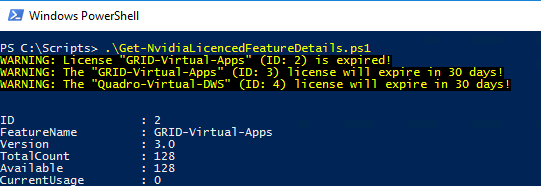
I recently needed to get some NVIDIA GRID license details in PowerShell for a customers monitoring solution. Unfortunately there was no PowerShell script available and also there is no available api to get these details. But I still needed the data in PowerShell, so I created a script that will just do that. It will retrieve the website with details, clean it up and present you with an object with data. Just run the script on you license server (or from another server, but remember to open the firewall port first) and you will get the details. You can find the script here:
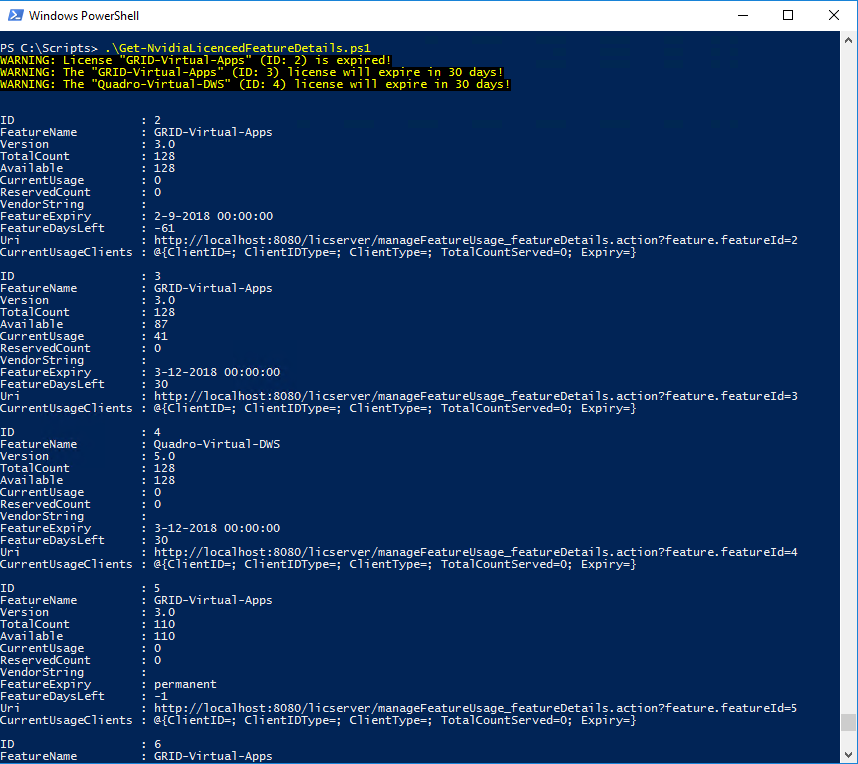
Thank you Rasmus Raun-Nielsen (@RBRConecto) for testing and providing feedback! NOTE: I can not guarantee it will work with all versions, I had only the opportunity to test it with the latest 2 versions.

Related

Making a remote PowerShell connection

·2 mins
In this article I will make a short description how to make a remote PowerShell connection. I needed this for a job once, tried to make a remote PowerShell connection from a Non Domain Joined machine to a Domain Joined server. I needed to re-configure the server first before making a connection. With the following code you can try and test the connection:

Let's Encrypt Certificates on a NetScaler

··39 mins
For a while now it’s possible to use Let’s Encrypt certificates, they are trusted (cross signed), secure and most of all FREE! There are already a lot of tools available to generate these certificates. I haven’t come across a tool or script to generate these certificates and upload them to a Citrix NetScaler. So I thought why not build it myself. I already tried it in a previous attempt, but I wanted more automation and thus I created this version. To learn more about the Let’s Encrypt, check how it works.. What my script does in very basic steps (for example you want a certificate for www.domain.com): Ask LE (Let’s Encrypt) to validate “www.domain.com” (1) LE returns data (2) among them: